Highway of the Dead Practical Tools & Checklists
Bag audits and merge go / no-go rules you can apply in under a minute.
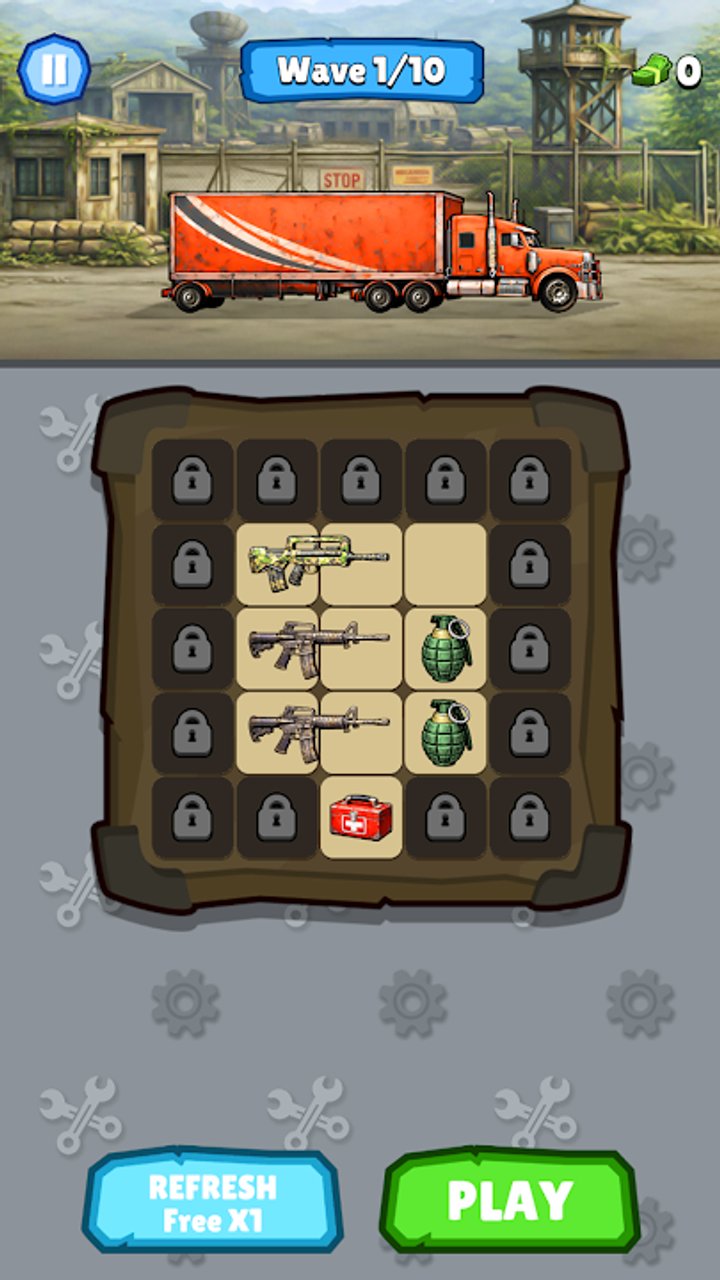
The Tools Hub turns Highway of the Dead advice into repeatable checklists. You do not need a spreadsheet — you need the same questions every time loot hits the crate. Use these frameworks between waves, then dive into full tutorials on the Guides Hub when a step feels unclear.
Tool 1 — Backpack layout checklist
Run this audit before you leave the organise screen:
A. Space health
- Count empty cells. If you are at zero, do not start a wave hoping for luck — free space first.
- Identify the largest contiguous empty rectangle. Merges and awkward gun shapes need contiguous room, not speckled holes.
- Note pieces that have not moved in three waves; they may be dead weight.
B. Merge readiness
- List every duplicate pair that could merge right now.
- Mark pairs blocked only by one junk item — those are high-value nudges.
- Protect at least one cell adjacent to your highest-tier gun for the next upgrade piece.
C. Loadout vs storage
- Separate “fighting now” weapons from “fodder / future merge” piles visually (corners or edges).
- Keep consumables or situational items from splitting your merge lane.
- If storage ads or IAP slots are tempting, re-run A–C once more; many “I need slots” moments are layout problems. Reviews often flag slot pressure after early levels — checklist discipline delays that wall.
Deep tactics: Backpack Management.
Tool 2 — Merge decision framework
When two matching guns can combine, ask in order:
- Does this merge free net cells within one wave? If yes, usually merge.
- Does holding both enable a longer chain I can finish this session? If yes and space allows, hold.
- Is my next wave already gated by damage? If yes, take the immediate tier-up.
- Would merging create a shape that bricks the bag? If yes, rearrange first or delay.
- Is this line even a priority? Check the community Weapons Tier List — do not perfection-craft C-tier lines while an S/A pair sits idle.
Quick go / no-go table
| Situation | Default call |
|---|---|
| Duplicate pair + tight bag | Merge |
| Duplicate pair + planned triple chain + space | Hold briefly |
| High-tier merge but blocks only empty lane | Rearrange, then merge |
| Low-tier merge while boss-tier wave incoming | Merge if it raises DPS now |
| Merge only “for neatness” with no space or DPS gain | Skip |
Full narrative guide: Merge Weapons.
Tool 3 — Sixty-second post-wave routine
- Collect loot without auto-scattering into random holes if the game gives placement control — place toward your merge lane.
- Run Space health (Tool 1A).
- Resolve one blocked duplicate (Tool 1B).
- Apply Merge framework once (Tool 2).
- Spend currency only if a Truck Upgrades bottleneck is obvious; otherwise save for the planned module or weapon level.
- Confirm team roles still match the guns you field (Players Hub).
If you cannot finish steps 1–4 comfortably, you are playing waves too fast for your bag skill — slow down; clears will speed up overall.
Tool 4 — Upgrade bottleneck picker
When several upgrade buttons blink:
- If waves fail → damage (weapon merge tier or weapon upgrade levels).
- If waves succeed but bag is permanently full → storage / layout (skill first, slots second).
- If both are fine but runs feel slow → modules / mini-game rewards that shorten downtime.
- If everything is maxed and content feels trivial → you hit the known late-game ease curve; see Updates Hub and Tips and Tricks for mindset, not panic spending.
Tool 5 — Session goal card
Write one goal before you play:
- “Free four cells and finish one A-tier merge.”
- “Unlock or level one truck module without buying slots.”
- “Test a new damage character beside my main gun line.”
Ignore side goals mid-session. Codes are not a plan — none are confirmed on the Codes Hub.
How these tools map to wiki pages
| Tool | Learn more |
|---|---|
| Layout checklist | Backpack Management |
| Merge framework | Merge Weapons |
| Upgrade picker | Truck Upgrades |
| Team check | Characters Tier List, Players Hub |
| Onboarding | Getting Started |
| Big picture | Wiki Overview |
Print nothing — glance at this page, then play. The best tool is a consistent routine that keeps empty cells and intentional merges ahead of the next zombie wave.
Frequently Asked Questions
Quick answers to the most common Highway of the Dead questions.
Are these in-game tools or wiki checklists?
Wiki checklists and decision frameworks you apply in the organise phase. They complement the Guides Hub rather than replacing the client UI.
How long should the backpack audit take?
Aim for under a minute. If it takes longer, your bag is already too chaotic — free cells before the next wave.
Should I always merge when the framework says go?
Defaults are starting points. If a patch changes shapes or upgrade math, adjust — then reread Merge Weapons and the Weapons Tier List.
Can these tools fix late-game boredom?
They improve efficiency and clarity. If content is simply easy after maxing, follow the Updates Hub for new systems and set personal challenge goals.